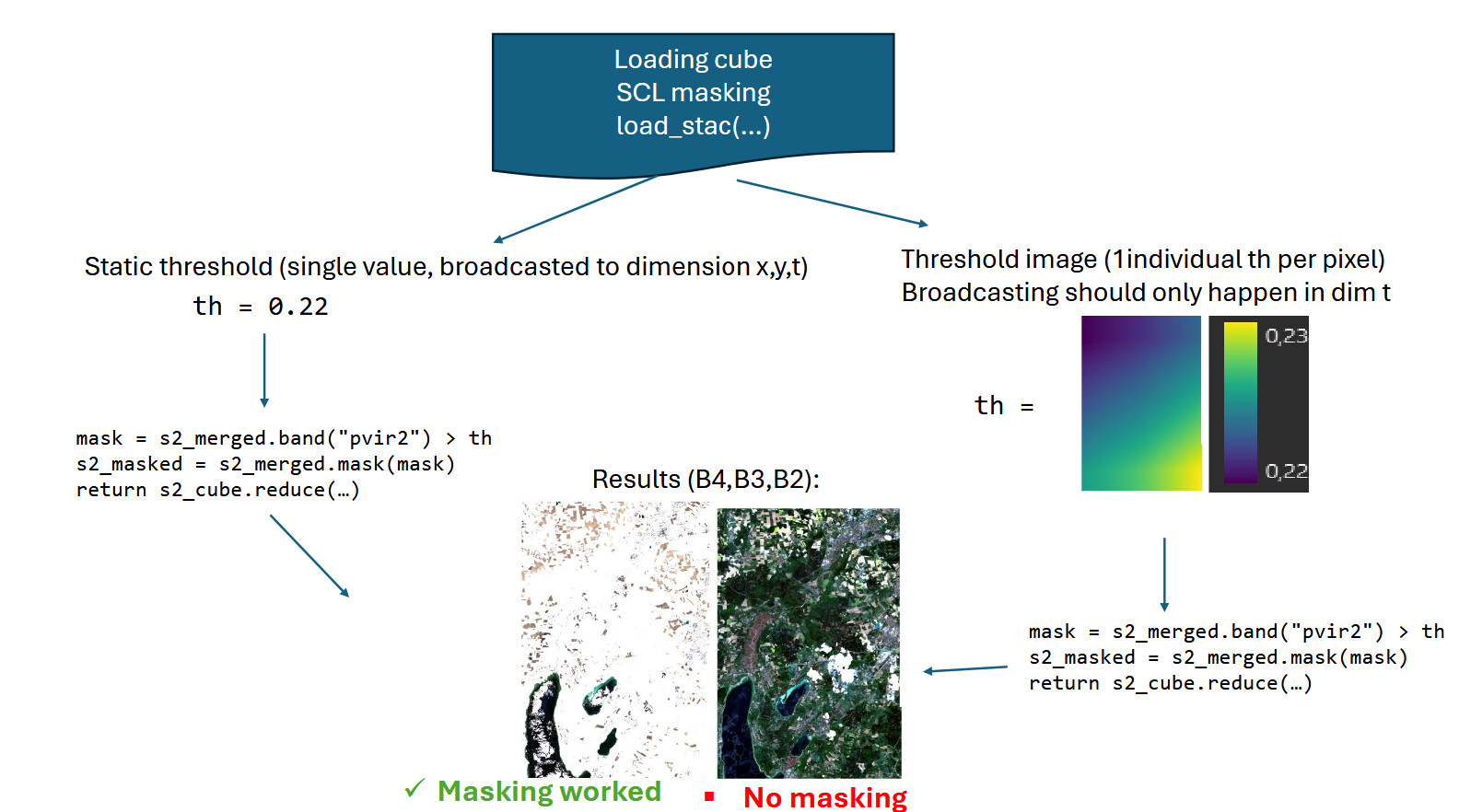
In brief, we load the S2 cube, compute a spectral index (in this case “pvir2”), and compare it to a threshold. This works as expected when using a global threshold (e.g., 0.2), but not when using a threshold image loaded from STAC (with values between 0.19 and 0.21). When the STAC-loaded threshold image is used, no masking occurs. I have exported the threshold image to confirm that its values are correct.
Expected Result:
Both with local_th and global_th, for each scene in the cube (t) a pixel (all bands) should be masked if the threshold is smaller than the spectral index.
Please find the relevant section of the code below (similar to the example linked above):
I would greatly appreciate any guidance or assistance you could provide on this matter.
#load data
s2_cube = con.load_connection([..])
stac_url_th_img = "https://github.com/Schiggebam/dlr_scmap_resources/raw/main/th_S2_s2cr_buffered_stac_yflip.json"
th_item = con.load_stac(stac_url_th_img, bands=["S2_s2cr_pvir2_threshold_img"], spatial_extent=spatial_extent)
thresholds = th_item.resample_cube_spatial(s2_cube, method="bilinear").reduce_dimension(dimension="bands", reducer="first")

s2_merged = s2_cube

# index
b_04 = s2_merged.band("B04")
b_08 = s2_merged.band("B08")
b_12 = s2_merged.band("B12")
pvir2 = (b_08 - b_04) / (b_08 + b_04) + (b_08 - b_12) / (b_08 + b_12)

# merge it all into a single cube to enable math
pvir2_named = pvir2.add_dimension(name="bands", label="pvir2", type="bands")
th_named = thresholds.add_dimension(name="bands", label="th_img", type="bands")
s2_merged = s2_merged.merge_cubes(pvir2_named)
s2_merged = s2_merged.merge_cubes(th_named)

# threshold (mask all values of all bands where pvir2 > threshold
th_global = 0.2
th_local = s2_merged.band("th_img")

mask = s2_merged.band("pvir2") > th_local              # TODO: Works with global threshold, but not with local th

# mask and reduce
s2_masked = s2_merged.mask(mask)
return  s2_masked.reduce_dimension(dimension="t", reducer="mean")
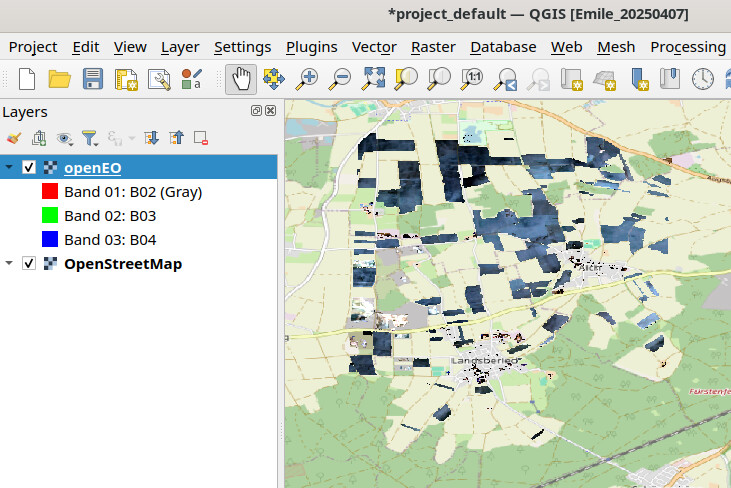
I noticed that the nodata pixels are shown opaque in the web-editor. In QGIS it looks fine on first sight. If I am mistaken, can you provide a screenshot to illustrate the issue?
The image you show is with the static, global threshold. That’s perfect.
You can switch to the threshold image that is in the cube by uncommenting line 114 (then th is the local, rasterized threshold)
The expected result should not change much (the local thresholds at this scale are very close to 0.2) However, the result looks like this (no masking has occured, apparently):
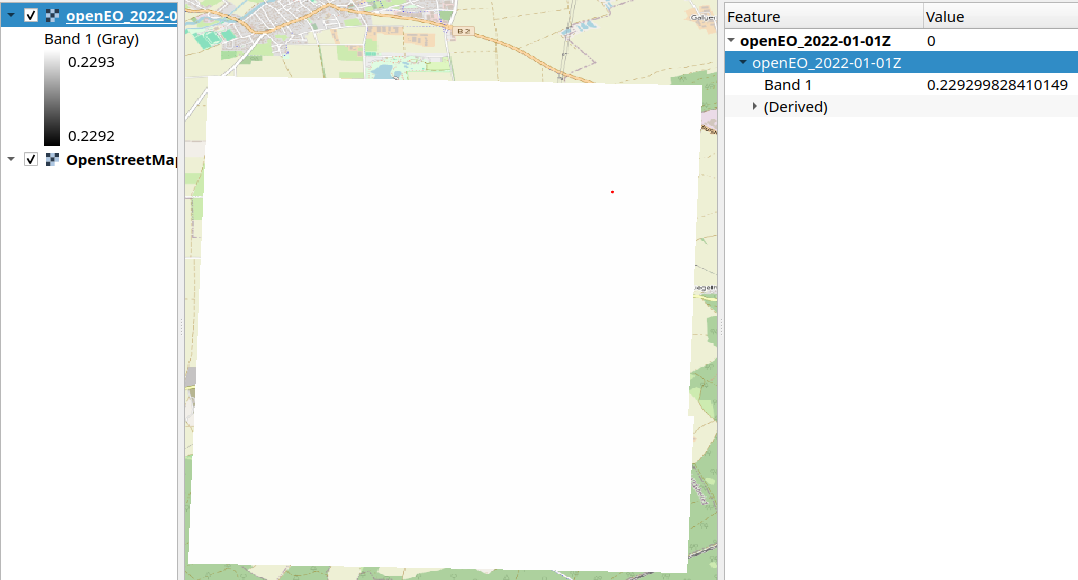
When downloading the threshold image only, it appears as an image that has the value around 0.2293 for each pixel. Maybe other spatial extent introduces more variations.
This issue is that the th_image band has only date 2022-01-01,
while the pvir2 band has date between 2025-04-27 and 2025-05-02
To get around this, you can move the .reduce_dimension(dimension="t", reducer="mean") to be applied on s2_merged.
Thank you for your reply Emile!
As far as i can tell, the th_item after calling load_stac(..) has only the dimensions [x,y,bands] (where bands is 1)
When calling s2_merged.reduce_dimension(dimension='t', reducer='mean') before applying the masking, all observations are included in the reduction. However, I would like to include only those observations that meet the threshold criterion.
To illustrate:
Scene (t=1)
Scene (t=2)
Scene (t=3)
Mean
10
20
30
15
0.2
0.2
0.2
–
0.1
0.1
0.3
–
The first row represents an arbitrary reflectance band (e.g., B02), the second row the threshold value (for that pixel), and the third row the computed spectral index (pvir2) for each timestamp.
In this example, I would like to exclude the pixel from scene t = 3, because it does not satisfy the condition (pvir2 < threshold).
TTherefore, the correct result should be (10 + 20) / 2 = 15, rather than (10 + 20 + 30) / 3 = 20, which I believe would be the outcome of the process you proposed, if I have understood it correctly.
How can i do the masking before the reduction? Again, thanks for you help.
Another tought i had:
Maybe there is something wrong with the stac metadata of the tif? (I actually had to flip the y axis from pointing south to pointing north to make it work, otherwise Geotrellis complaint)
Not sure if I am following correctly. But wouldn’t the masking takes away the pixel over the whole time series? If it passes the threshold, T1, T2 and T3 gets removed.
The STAC data might benefit from having cube:dimensions added. So that the client is better aware of what dimensions are available.
No, the spectral index is computed separately for each timestep based on the reflectance values at that specific time (in the example table, you can see the third row varies in time).
If you imagine a single pixel, it has 10 bands and n scenes (observations) over time.
For each observation, we compute the spectral index (e.g., NDVI). In our case, the index is used to distinguish vegetated from bare surfaces.
Finally, we only take the mean over all bare-surface observations by masking out the vegetated ones using something like s2_merged.mask(index < threshold)
This workflow is very standard. The only difference here is that our threshold comes from an precomputed image (stac), because it varies spatially.
Would it help if I show the full process in plain Python (NumPy) or Google Earth Engine?
Hi,
To avoid having an impact on the algorithm, it is also possible to get rid of the time dimension on the threshold image. This way, the threshold gets broadcasted to every day of the data, and the masking should work.
I made an example MR here:
I made made a change in the stac catalog to avoid a confusion about the time dimension, I link to it in this MR.
Sorry for any delays, especially with the weekend. Would this solve it better?
Emile
Thank you Emile, it appears that the values are now broadcasted correctly and the condition works! That’s great!
So in essence, the temporal dimension had to be collapsed before. That makes sense.
Is there a way to inspect the dimensions of a cube? (for debugging)
Again, thank you for your support (and nothing to worry about the delay, weekend is weekend )!
The datacube.metadata field contains a lot of extra information. If you are using a jupyter notebook there is also a html representation of the metadata itself.